

uMake: 3D CAD Modeling, Design
Quick Info
App Details
Transform Your Ideas into Professional 3D Models - The Award-Winning CAD app for iPad & iPhone
OVERVIEW
Create professional 3D CAD models, architectural designs, and product concepts with uMake - awarded iPad Pro App of the Year. Perfect for architects, interior designers, product designers, students, and 3D modeling professionals seeking powerful CAD tools on the go.
PROFESSIONAL 3D DESIGN MADE SIMPLE
- Industrial-grade 3D CAD modeling with NURBS technology
- Complete 3D design toolkit for architecture and interior design
- Professional product design and prototype development
- Advanced 3D modeling capabilities for engineering projects
- Intuitive interface for both CAD experts and beginners
NEW! POWERFUL AI DESIGN TOOLS
Supercharge your creativity with the latest AI features in uMake.
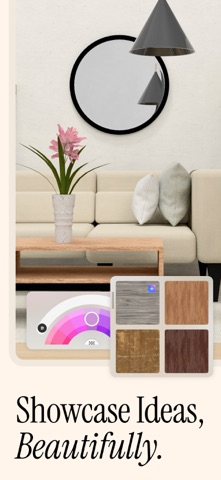
- Instantly apply unique styles to your sketches, 3D models, or photos
- Turn 2D images into 3D objects and place them into dynamic scenes
- Generate stunning, styled renderings in seconds with a single tap
Combine sketching, modeling, and AI to bring your boldest ideas to life—faster than ever.
PROFESSIONAL CAD FEATURES
- Professional NURBS-based 3D modeling engine
- Precision CAD tools: extrusion, revolve, array, and boolean operations
- Architectural design tools with accurate measurements
- Advanced surface modeling for product design
- Complete 3D modeling toolkit for interior design projects
READY-TO-USE DESIGN RESOURCES
- Professional CAD templates for architecture and product design
- Extensive 3D model library for interior design
- Architectural elements and building components
- Product design starter kits and components
- Premium content available with uMake+ subscription
PROFESSIONAL-GRADE TOOLS
- Apple Pencil support
- 3D sketching with intelligent construction planes
- Precise dimensioning tools for CAD modeling
- Layer management for complex 3D designs
- Advanced grouping for architectural elements
INDUSTRY-STANDARD COMPATIBILITY
- Import/Export CAD files: STEP, IGES, OBJ, STL, USDz
- Compatible with SketchUp and 3D Warehouse (SKP)
- Seamless workflow with major CAD software:
- SolidWorks, Fusion 360, Rhino 3D, AutoCAD, Revit, ArchiCAD
- Other leading 3D modeling software
VISUALIZATION & PRESENTATION
- Professional rendering engine for architectural visualization
- Interior design presentation tools
- Product design visualization with materials and lighting
- AR visualization for architectural and interior design
- Built-in presentation tools for client meetings
PERFECT FOR PROFESSIONAL USE
- Architects and Interior Designers
- Product Designers and Engineers
- CAD Professionals and 3D Modelers
- Industrial Design Studios
- Architecture Students and Educators
LEARNING RESOURCES
- Professional CAD tutorials
- 3D modeling guides
- Architecture and design workflows
- Product design techniques
- Comprehensive knowledge base
AWARDS & RECOGNITION
- 2015 iPad Pro App of the Year
- Best of App Store 2015
- Editors' Choice
CONNECT WITH US
- Email: hello@umake.com
- Instagram: @umake
SUBSCRIPTION INFORMATION
- Payment will be charged to your iTunes Account once you confirm the purchase.
- Your subscription will automatically renew at the end of your subscription period. To opt out, you must turn off auto-renew at least 24 hours before the end of the current period.
- Manage changes to your subscription in the iTunes Account Settings.
- Any unused portion of a free trial will be forfeited when you purchase a uMake subscription.
LEGAL
Privacy Policy: http://www.umake.com/legal/privacy
Terms of Use: http://www.umake.com/legal/terms
Screenshots (6)



Editor Review
uMake is a strong choice for professionals and students in design and engineering, combining precise CAD tools with NURBS technology and innovative AI features for converting images to 3D models and generating styled renderings. Its main strength is providing a complete workflow on iPad and iPhone without needing a computer. The only caveat is that some advanced features may require a learning curve, and subscriptions might be costly for some users. We highly recommend it for architects and product designers seeking a professional mobile tool.