

Keynote: Design Presentations
Quick Info
App Details
Keynote is now part of Apple Creator Studio, an amazing collection of Apple’s most powerful creative apps designed to help you bring your ideas to life. The suite includes Final Cut Pro, Logic Pro, Pixelmator Pro, Motion, Compressor, and MainStage — plus premium content and intelligence features in Keynote, Pages, Numbers, and Freeform, all in one simple plan. Creating, viewing, and editing presentations in Keynote, as well as collaborating in real time, does not require a subscription.
Create memorable presentations on iPhone, iPad, Mac, and Apple Vision Pro. Start with an Apple-designed theme and add text, images, charts, and shapes. Bring it all to life with cinematic animations and transitions. Confidently present from anywhere, in person or virtually, and take turns controlling a presentation in multi-presenter slideshows.
Get Started Quickly
• Work from iPhone, iPad, Mac, Apple Vision Pro, or even a PC with iCloud.com
• Select from a wide variety of Apple-designed themes
• Import and edit Microsoft PowerPoint presentations
Create Stunning Presentations
• Easily change slide layouts and backgrounds
• Add recorded audio, live video, and image galleries
• Use powerful graphics tools including background removal and masking
• Draw or write with Apple Pencil on iPad
Cinema-Quality Animations
• Beautiful cinematic slide transitions and impressive animations
• Emphasis builds and Magic Move let you effortlessly add impact
• See live on-canvas previews as you animate your slides
• Draw a motion path with Apple Pencil on iPad
Present to Your Audience
• Rehearse with a customizable presenter display
• Practice in an immersive Conference Room or Theater environment on Apple Vision Pro
• Highlight with Apple Pencil or with your finger while presenting on iPad
• Control your slideshow from an iPhone, iPad, or Apple Watch
Share with Anyone
• Share your presentation publicly or collaborate with specific people using iCloud or Box
• Make changes from any device and see a list of changes from others in real-time
• Export presentations to Microsoft PowerPoint, PDF, HTML, movies, and image files
Apple Intelligence
• Use Writing Tools to proofread, rewrite, summarize, and compose text
• Create your own fun images with Image Playground based on a description
Some features of Apple Creator Studio require an Apple Intelligence–capable device. For full system requirements and usage limits for Apple Creator Studio intelligence features, see Apple Support article 125029.
Screenshots (6)


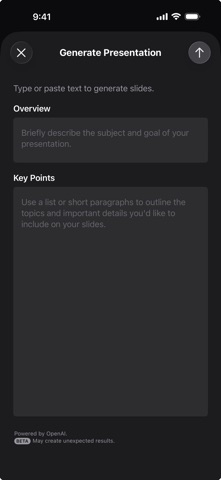
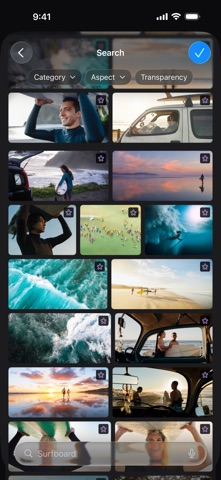
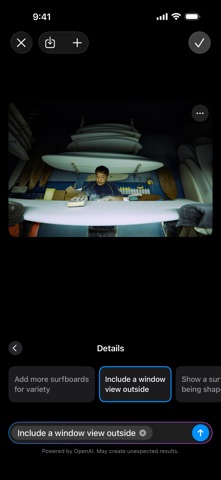

Editor Review
AI Tools Oasis Editorial Review of Keynote: Design Presentations
Cons & Limitations:
- Not available on Android, limiting access for non-Apple users.
- Some advanced features require an Apple Creator Studio subscription, which may not be necessary for casual users.
Recommendation: Keynote is ideal for users within the Apple ecosystem who need to create professional presentations easily on their mobile devices. It suits professionals and students alike, especially those who value seamless integration with iCloud and other devices. Not recommended for Android users.
Official App Pricing & Plans
| Subscription Plan | Price (USD) | Features & Limits | Free Version |
|---|---|---|---|
| Free Plan | $0 | Create and edit presentations, real-time collaboration, import PowerPoint, use basic themes | Always available |
| Apple Creator Studio (Annual) | $49.99 / year | Full access to Final Cut Pro, Logic Pro, Pixelmator Pro, Motion, Compressor, MainStage, plus advanced features in Keynote, Pages, Numbers, and Freeform | 1-month free trial |