

AI Voice Changer: Clone & TTS
Quick Info
App Details
Some things are just funnier in another voice.
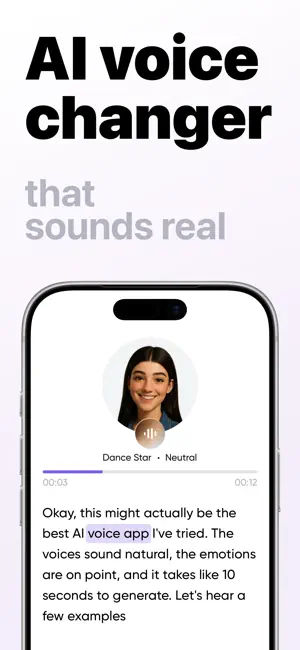
Type what you want to say, pick from 100+ voices, and hear it back in seconds. Or record yourself and turn it into a character.
Deep, robot, anime, movie villain, chipmunk, news anchor — and a lot more.
HOW IT WORKS
1. Type your text, or record your voice
2. Pick a voice and a tone
3. Generate, listen, share
WHAT PEOPLE ACTUALLY USE IT FOR
- Voice notes that make the group chat reply "wait, WHAT?"
- Pranking friends and family
- Voiceovers for videos, Reels and TikToks
- Narration for gaming clips and podcasts
- Reading messages out loud in a voice that isn't yours
FEATURES
- 100+ AI voices: characters, accents, deep, girl, robot, anime, scary and famous-sounding
- Text to speech (TTS) that sounds human, not robotic
- Voice changer — record yourself, turn it into a character
- Tone and emotion control: neutral, happy, angry, whisper
- Preview any voice before you generate
- Export your audio and use it anywhere — messages, social, video editors
- History keeps everything you've made
- New voices added regularly
WHY IT SOUNDS REAL
Most voice apps pitch-shift your audio and call it a day. This one generates speech from scratch with natural intonation, pauses and emphasis — so it sounds like someone talking, not like a filter.
FOR ENTERTAINMENT AND CREATIVE USE
This app is built for entertainment, parody and creative projects.
Every voice is AI-generated. Voices are synthetic and are not recordings of any real person. This app is not affiliated with, endorsed by or sponsored by any celebrity, public figure, brand, studio or rights holder, and any resemblance is produced by AI for entertainment purposes only.
CONTENT RULES
This app is for having fun — keep it that way. The following is not permitted:
- Hate speech, harassment, threats, or content attacking people on the basis of race, ethnicity, national origin, religion, gender, sexual orientation, disability or age
- Impersonating a real person in order to deceive, defraud, defame or mislead anyone
- Sexual content, any content involving minors, and violent or extremist content
- Anything illegal, or audio created for scams, misinformation or non-consensual use
By using this app you agree to follow these rules and our Terms of Use. You are responsible for the content you create and for how you use it. Be decent about it, and get consent before making audio that imitates someone you know.
We may restrict or remove content and accounts that break these rules. Questions: support@bestvoice.app
SUPPORT
Questions, bugs or a voice you want us to add: support@bestvoice.app
SUBSCRIPTION
We offer auto-renewing subscriptions. You can cancel a subscription anytime by turning off auto-renewal through your iTunes account settings. This must be done 24 hours before the end of the subscription period to avoid being charged. The cancellation will take effect the day after the last day of the current subscription.
Our Privacy Policy:
https://bestvoice.app/privacy
Our Terms of Use:
https://bestvoice.app/terms
Screenshots (6)


Editor Review
AI Voice Changer offers a fun and easy way to transform text or voice into various characters, with over 100 voices and tone/emotion controls. Its main strength is the natural-sounding speech generated from scratch, making it a good choice for content creators and pranksters. However, it's purely for entertainment and may not suit professional-grade needs. The only caveat is that some voices may resemble famous people, so responsible use within entertainment and parody limits is advised.